More videos from the team you already have.
Garren does the first cut in each client’s style. Your editors review, give notes and publish.
Or start with one free video. No card needed.
Your agency · Agency
- Your agency
- Style
- Mono
- Google Drive
- Coaching brand / Footage
- YouTube channel
- Connected
- Budget this month
Switching between clients in Garren: each one keeps its own style, footage and channel. Shown with Garren’s sample footage.
Step 1: Every client kept separate
On Agency, each client gets its own space with its own style, videos, footage and YouTube channel. Switching clients takes one click.
Separate for every client
- Its own style
- Its videos
- Its footage and Drive folders
- Its b-roll clips and logos
- Its YouTube channel
- Its monthly budget
Shared across your agency
- One credit pool
- One bill
- Your team and who does what
- The styles you choose to share
- Who used which credits
Step 2: Everyone gets a login
Invite your editors, producers and media buyers. You decide which clients each person works on and how many credits they can use. 5 seats on Team, 15 on Agency.
SettingsTeameditor@youragency.comMemberSend invite- YouOwnerOwner
- Head of contentEvery clientAdmin
- Video editorCoaching brand, Finance channelMember
Monthly credit limit
On
Build custom styles
Allowed
Client workspaces
2 chosen
- Media buyerSkincare brandMember
Step 3: Editors start from a finished edit
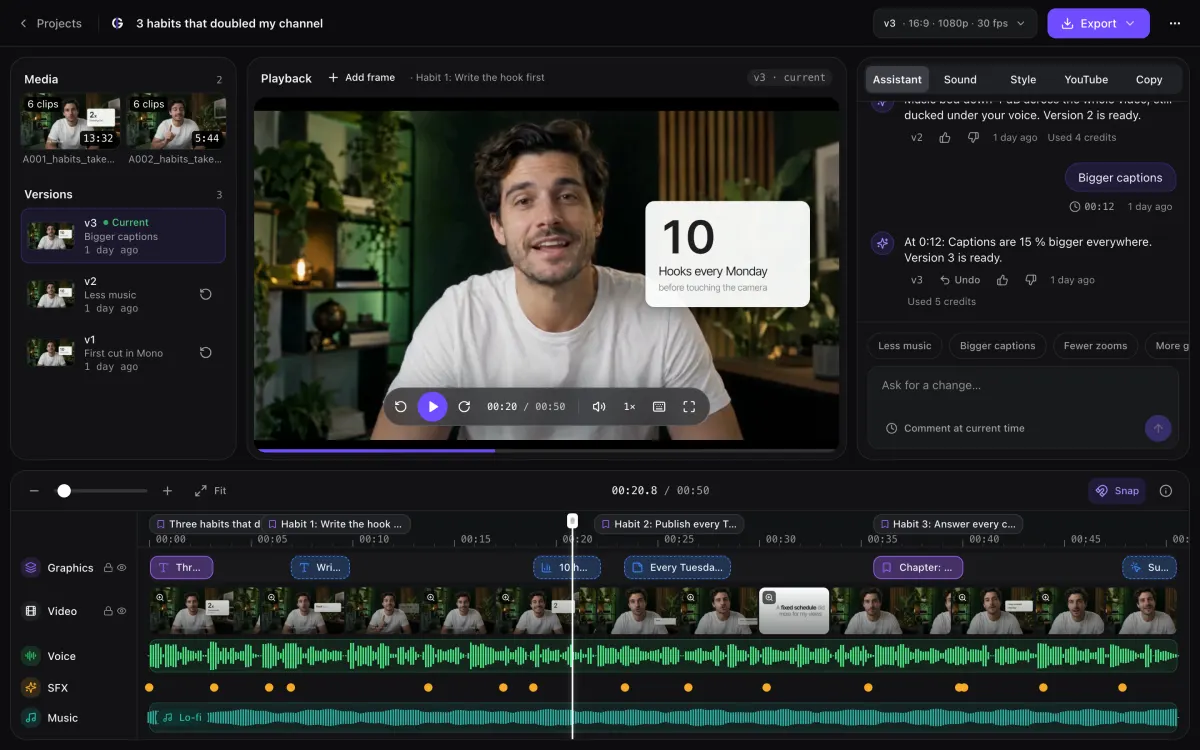
Every video arrives cut, captioned and styled for its client. Your editors give notes, check each change and publish.
Everything else it takes.
One style, many clients
Build a look once and use it for every client, or keep each one unique.
A budget per client
Cap what each client can use each month, or just keep an eye on it.
See who used what
One credit pool for the team, with every credit traced to a person and a video.
Each client’s channel
Add a client’s YouTube channel and Garren learns their style from their most viewed videos.
Each client’s Drive
Footage comes straight from the client’s Drive folder, and finished videos go back to it.
Finish by hand when you want
Open any edit in Premiere Pro, DaVinci Resolve, Final Cut Pro or After Effects.
Team and Agency
One account, a login for everyone. Team for in-house content and ad teams, Agency for agencies with many clients.
Team
For ad teams that ship new creatives every week.
$499/ month
550 credits a month
About 68 eight-minute videos or 550 shorts
- 5 seats, with roles and permissions
- 20 custom styles, shared by the team
- Shared videos and credits
- See who used which credits
- Studio edits: custom animations for your key moments
Agency
For agencies that edit for many clients.
$999/ month
1,100 credits a month
About 137 eight-minute videos or 1,100 shorts
- 15 seats, with roles and permissions
- 50 custom styles
- A workspace per client, with its own styles, videos and brand clips
- One credit pool and one bill for every client
- A monthly credit limit or target per client
Just a creator and an editor? Pro has 2 seats. Growing? Extra seats are $39 a month each.
More use cases
All features





Set up your first client today.
Upload one recording and review a finished edit. No card needed.